Customize your home screen with a sleek, resizable digital clock and date widget
Customize your home screen with a sleek, resizable digital clock and date widget
Vote (2 votes)
Program license Free
Developer Lazar Dimitrov
Version 6.9.19.678
Works under Android
Also known as Digital Clock and Weather Widget
Vote
(2 votes)
Developer
Lazar Dimitrov
Works under
Android
Program license
Free
Version
6.9.19.678
Also known as
Digital Clock and Weather Widget
Pros
- Highly customizable with extensive visual options
- Clear display of time, alarm, and weather
- Supports multiple widget sizes and layouts
- App shortcuts for quick access
- Popup weather forecasts are clean and informative
Cons
- Premium features require a paid upgrade
- Some settings require device restart after updates
- May need initial setup time for full customization
A clean, customizable clock and weather widget inspired by Xperia devices.
Overview
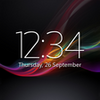
Digital Clock Widget Xperia offers Android users a visually pleasing way to display the time, date, next alarm, and weather forecast directly on the home screen. Inspired by the minimalistic Xperia design, this widget stands out for its flexibility and suitability for both casual and advanced users. It caters especially well to those who appreciate having important information at a glance without clutter or unnecessary distractions.
Design and Usability
Digital Clock Widget Xperia is praised for its clean and unobtrusive appearance. The widget supports various sizes (2x2, 4x1, 4x3, 2x3), fitting different layouts and preferences. Users can adjust virtually every visual aspect, including font type (with 18 to start and more via Premium), size, and color. The transparency and color of the optional background plate are customizable, with options for a completely transparent look that blends seamlessly with any wallpaper.
Large, clear fonts are available, enhancing legibility for users who prefer or require larger text. The design is focused on quick, easy readability, ensuring that time, date, and alarm details are instantly accessible.
Features
This widget integrates a range of practical features beyond just displaying the time:
- Displays current time, date, next alarm, and location-based weather information
- Offers weather forecasts, severe weather alerts, and air quality updates
- Allows tapping different widget areas to open the alarm, calendar, or any chosen app
- Lets users add up to 6 shortcut icons for frequently used apps or those most used (determined via AccessibilityService API)
- Supports different time and date formats
- Includes a quick-access popup for detailed multi-day weather forecasts without opening a separate app
- Back up and restore settings functionality
The Premium upgrade unlocks additional capabilities such as more fonts, custom user fonts, multiple locations or time zones, battery level display, highly granular transparency controls, and removal of ads.
Performance
In daily use, Digital Clock Widget Xperia is stable and highly responsive. The widget updates promptly, providing up-to-date time and weather information. Users laud its reliability and effectiveness, especially when configured with preferred shortcuts and formats.
Setup is intuitive, although some users may need to restart their device after installation or updates for the widget to appear correctly in the widget picker. The developer provides accessible help and troubleshooting guidance within the app.
Customizability
Versatility sets this widget apart. Nearly every aspect of its appearance can be tailored, from the background plate’s color and opacity to the font and displayed info. Users can choose minimal, bold, or colorful displays to match their personal style or device theme.
Advanced customizations, like assigning different apps to different portions of the widget and creating app shortcuts based on recent usage, provide a personalized experience for both productivity enthusiasts and those wanting a simple and elegant home screen.
User Experience
User reviews consistently highlight the widget’s simplicity and aesthetic appeal. The ability to enlarge fonts benefits those seeking greater accessibility. The direct popup weather forecast is particularly appreciated, delivering detailed information without clutter or unnecessary steps. Longtime users commend its reliability and value compared to similar widgets, noting that updates and bug fixes are handled effectively.
Conclusion
Digital Clock Widget Xperia delivers a strong mix of attractive design, robust customization, and practical function for Android users. Its focus on readability and fast access to core information makes it a desirable addition to any home screen, while deeper options and Premium features cater to power users seeking extensive personalization.
Pros
- Highly customizable with extensive visual options
- Clear display of time, alarm, and weather
- Supports multiple widget sizes and layouts
- App shortcuts for quick access
- Popup weather forecasts are clean and informative
Cons
- Premium features require a paid upgrade
- Some settings require device restart after updates
- May need initial setup time for full customization